0%

A touchscreen can make a golf cart feel more useful, especially when you want navigation, music, and call controls in one place. On a sunny course or a quiet neighborhood path, though, the display must be easy to read and simple to operate. The Golf Cart Touchscreen Dash Apple CarPlay options for 2026 vary in screen size, mounting style, audio support, and vehicle compatibility. A clear screen helps. So does a responsive interface. But a large display alone does not guarantee a better ride.

This guide looks at practical details that matter before choosing a dash: whether the unit fits your cart, how it connects to power and speakers, and whether its controls remain manageable over bumps. We’ll also consider weather protection, glare, installation requirements, and the everyday usefulness of Apple CarPlay features. Specifications can differ by model and cart configuration, so confirm fitment with the manufacturer or a qualified installer rather than relying on appearance alone. A glossy interface may look impressive in product photos, yet bright sunlight can change the experience. That is easy to overlook. No display replaces careful driving or attention to your surroundings. The aim here is not to name a universal winner, but to help you compare features against your cart, your routes, and your budget. Some trade-offs are unavoidable, and that deserves an honest look.
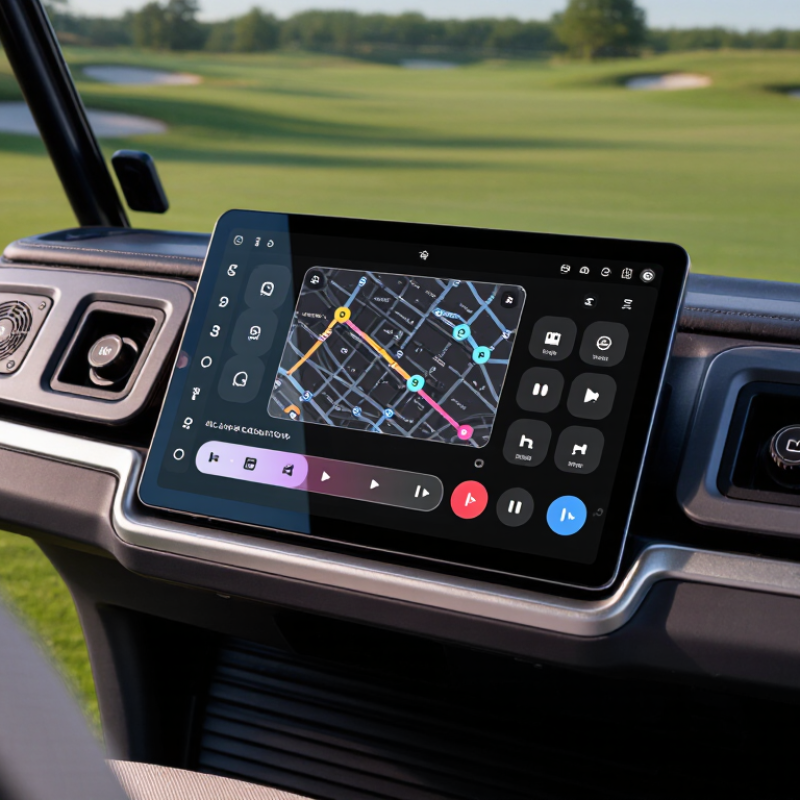
2026 Best Golf Cart Touchscreen Dash with Apple CarPlay

What a Golf Cart Touchscreen Dash Is and How It Works

A golf cart touchscreen dash is the display and control point for selected cart functions. It may show speed, battery charge, trip details, maps, and connected-phone information. The National Golf Foundation’s U.S. golf-facility research puts the country’s total at roughly 16,000 facilities, where carts support daily play and course operations. That scale makes clear, dependable controls useful—not merely decorative.

Here is the basic process. A display receives information from the cart’s control unit through its wiring or data network. The unit reads signals such as battery voltage and speed, then presents them as icons, numbers, or alerts. A compatible phone can connect by cable or wireless link, allowing a projection interface to show navigation or audio controls. The exact functions depend on the cart’s electrical system and the dash hardware. Simple enough.

Installation matters. A technician should check voltage, connector compatibility, fuse protection, and water resistance before fitting a screen. Dust, vibration, and direct sun can make a bright display hard to read or shorten its life. Touch controls can also distract a driver on uneven paths; physical buttons may be easier with gloves. A screen is not automatically an upgrade. I’d still want to test it in glare and rain before trusting it for everyday use.

Key Display, Audio, and Connectivity Components

A useful golf cart touchscreen dash starts with a display that stays readable in changing light. Look for adjustable brightness, clear icons, and a responsive touch surface that works with dry hands. A screen mounted near the driver’s natural line of sight is easier to check without leaning forward. Keep key information simple. Speed, battery level, and navigation should not compete for attention.

Audio needs practical controls, not just impressive volume. A small amplifier and weather-resistant speakers can make spoken directions audible over tire noise and wind. Place speakers so passengers can hear clearly without forcing the driver to turn up the sound. Connectivity matters too. Phone projection, Bluetooth audio, USB charging, and a stable wireless connection help keep calls and maps accessible. Check whether the system reconnects reliably after the cart is switched off; that small detail can be frustrating when it fails.

Fit and installation deserve equal attention. Confirm the dash dimensions, wiring requirements, and protection against dust or splashes before choosing components. A bright screen can still distract on a shaded path, and no layout suits every cart. Test controls while parked, then adjust their placement if they feel awkward. A little compromise is normal. The best setup feels clear, secure, and easy to use on a real ride.

How Apple CarPlay Connects to a Golf Cart Dash

A golf cart touchscreen dash connects to a compatible phone through a wired or wireless projection system. The exact method depends on the dash. With a cable, use its data-capable USB port; some ports provide power only. For wireless use, the dash may pair over Bluetooth, then use Wi-Fi to carry the display connection. Keep the phone nearby and follow the setup prompts shown on the screen. Small detail matters.

Before driving, check that the dash supports the phone’s operating system and that its power input matches the cart’s electrical system. Some installations need a suitable voltage converter, so confirm the specifications or ask a qualified installer. On a clear driveway, test calls, navigation, and audio while the cart is parked. A map should remain readable in bright sun, and touch controls should work without taking your eyes off the path for long. Wireless connections can drop, especially when a phone is low on power or tucked away. That part is easy to overlook. Carry a charging cable and learn the dash’s basic controls before relying on it around other carts or pedestrians.

2026 Best Golf Cart Touchscreen Dash with Apple CarPlay - How Apple CarPlay Connects to a Golf Cart Dash

Topic How It Works What to Check Before Installation
Dash compatibility The touchscreen unit must support Apple CarPlay. A screen alone does not add CarPlay if its built-in system lacks that feature. Confirm the unit’s stated CarPlay support, mounting dimensions, and available space in the cart’s dash.
Wired connection A compatible phone connects to the dash through a USB data port and a suitable cable. Some USB ports provide charging only and cannot carry the connection. Check which USB port supports data, the required cable connection, and whether the port can be positioned away from rain and spray.
Wireless connection A wireless-capable dash pairs with a compatible phone. Wireless CarPlay uses Bluetooth and Wi-Fi as part of its connection process; availability depends on the dash model. Verify wireless support in the unit’s specifications and follow its pairing instructions. Keep the phone charged during extended use.
Golf cart power Golf carts may use different battery-system voltages. A dash designed for 12-volt accessories may require a suitable voltage converter when fitted to a higher-voltage system. Check the cart’s electrical system and the dash’s input-voltage range. Use a correctly rated, fused installation; do not connect a 12-volt unit directly to a higher-voltage pack.
Audio output Audio may play through speakers connected to the dash or through another supported audio route. The available options depend on the head unit and speaker setup. Check speaker compatibility, wiring, amplifier requirements, and whether the desired audio connection works while CarPlay is active.
Navigation and data Navigation and other supported apps appear on the dash through the connected phone. Live traffic, online searches, and streaming may require an internet connection. Check mobile coverage along your routes and download offline maps or media in advance when the apps support it.
Outdoor installation A golf cart dash may be exposed to sun, dust, vibration, and moisture. Protection varies by unit and installation; a touchscreen should not be assumed waterproof. Review the unit’s environmental rating and care instructions. Seal openings as directed and avoid pressure-washing the screen or connectors.
Typical setup sequence Mount the dash, connect power and audio as needed, then pair the phone by USB or wirelessly and approve the on-screen prompts. Disconnect power before wiring. Follow the cart and dash installation instructions, secure cables, and test the setup while parked.
Best-fit checklist A suitable setup has confirmed CarPlay support, a compatible connection method, correct power, secure mounting, and audio that meets the cart’s needs. Compare compatibility and installation requirements rather than relying on screen size or appearance alone.

Specifications and installation requirements vary by touchscreen unit and golf cart. Verify the current manuals for both before purchase or installation.

Compatibility and Installation Factors for Golf Cart Owners

A touchscreen dash can make a golf cart easier to navigate and use, but compatibility starts with the cart itself. Check the electrical system’s voltage and the display’s required input before buying. Many carts use different wiring layouts, even when their dashboards look alike. Measure the available opening, too. A screen that fits on paper may block a storage lid or sit awkwardly near the steering wheel.

Inspect the mounting surface and wiring path before installation. A clean, dry spot helps protect connections from rain splash, dust, and vibration. The screen should remain visible in bright sun without forcing the driver to look away from the path for long. Short test. Check whether the cart’s accessory circuit can power the unit without draining the battery while parked. A suitable fuse and secure ground connection matter; follow the cart and display manuals, or ask a qualified installer if the wiring is unclear.

Phone projection features may depend on the screen, cable, phone settings, and available signal. Confirm these requirements before assuming every function will work. If the cart has a rear camera or existing audio equipment, check connector types and compatibility first. It is tempting to focus only on screen size. That can be a mistake. After mounting, test the display, controls, and connections while the cart is stationary, then check for rattling on a short, slow ride. A slightly crooked screen is frustrating, but loose wiring is more concerning.

How to Compare 2026 Touchscreen Dash Features and Safety

When comparing a 2026 golf cart touchscreen dash, start with visibility, not screen size. A large display can still be difficult to read in direct afternoon sun. Check brightness adjustment, glare resistance, and whether the screen dims smoothly at dusk. If possible, view it from the driver’s seat before buying. A quick glance should be enough.

Then test the features you will actually use. Apple CarPlay support is useful for navigation and calls, but connection stability matters more than a long feature list. Ask whether the system works wirelessly or needs a cable, and check how quickly maps respond. A delayed turn prompt can be distracting. So can menus with tiny touch targets. Physical buttons for volume or key functions may be easier to use over a bumpy path.

Safety deserves a hands-on check. Confirm the display does not block your view of the path, mirrors, or instruments. If a backup camera is included, assess its image in shade and bright light, and see whether it activates reliably. Look for a secure mounting system, weather protection, and clear installation guidance for your cart’s electrical setup. Do not assume every dash fits every model. I would also ask how screen use is intended while the cart is moving; that detail is easy to overlook. Compare warranty terms and service access, too, since a frozen screen is more than an inconvenience when it carries essential driving information.

2026 Golf Cart Touchscreen Dash: Feature Comparison Checklist

How to read this chart: Bars count questions in a comparison checklist, not measured product performance or market-wide survey results. The counts come from these checks: visibility (daylight readability, glare, viewing angle, brightness adjustment); controls (physical quick controls, touch-target size, menu steps, use while stationary); safety integration (camera compatibility, warning-audio support, clear status indicators); connectivity (Apple CarPlay, Android Auto, Bluetooth); durability (water resistance, vibration tolerance, stated operating-temperature range).

FAQS

What information can a golf cart touchscreen dash show?

It may display speed, battery charge, trip details, maps, and connected-phone information. Exact features depend on the cart and dash.

How does the dash receive information from the cart?

It reads signals from the cart’s control unit through wiring or a data network. These signals become icons, numbers, or alerts.

Can a phone connect to the dash?

Yes, if the dash supports phone projection. Connection may use a data-capable cable or a wireless link. Some USB ports only provide power.

What should be checked before installation?

Check voltage, connectors, fuse protection, and weather resistance. Some carts may need a suitable voltage converter. Ask a qualified installer if unsure.

How can I tell if the screen is easy to read?

View it from the driver’s seat in direct sun and shade. Check brightness adjustment and glare resistance. A quick glance should be enough.

Does a larger screen make the cart safer?

Not necessarily. Tiny touch targets and delayed map prompts can distract. Physical buttons may be easier to use on bumpy paths.

What should I test before driving with a connected phone?

While parked, test calls, audio, and navigation. Keep the phone nearby, and carry a charging cable. Wireless connections can drop.

What else matters when comparing touchscreen dashes?

Check mounting security, weather protection, warranty terms, and service access. Confirm the screen does not block mirrors or your view. I might overlook that.

Conclusion

A Golf Cart Touchscreen Dash Apple CarPlay system brings navigation, audio, and essential vehicle information together on an easy-to-use display. Its main components may include a touchscreen, speakers, wireless or wired connectivity, a microphone, and controls designed for simple operation. When compatible, Apple CarPlay connects a phone to the dash so drivers can access supported navigation, calls, and audio through a familiar interface. Features and connection methods can vary, so owners should check device compatibility, power requirements, display dimensions, and mounting options before choosing a system.

When comparing 2026 touchscreen dash options, consider screen readability in bright conditions, sound quality, connection stability, weather protection, and ease of installation. Make sure the dash fits the cart’s electrical setup and available space, and follow the manufacturer’s installation guidance. Safety should guide every choice: select controls that are straightforward to use, set up navigation and audio before moving, and keep attention on the path while driving.

Evelyn

Evelyn

Evelyn is a highly skilled marketing professional with a deep understanding of the company’s products, customers, and evolving industry landscape. With a strong ability to translate technical features into clear, practical value, Evelyn creates informative content that helps readers make confident......